
BambooHR
Extension appBy Fluidlabs
Automate HR onboarding: employee data into document flows, signed files back onto the record.
View on the App Center ↗BambooHR for Docusign IAM
Connect BambooHR to Docusign Workflow Builder and automate the document side of the employee lifecycle: offer letters pre-filled from employee records, signed documents filed back automatically, and HR data that never gets re-typed.
BambooHR for Docusign IAM is a Fluidlabs extension app listed on the Docusign App Center. Its steps appear natively in Docusign Workflow Builder, and Fluidlabs runs the app on its own infrastructure (US region, AWS), so there is no Zapier, Make or other automation platform to set up.
What it adds inside Workflow Builder
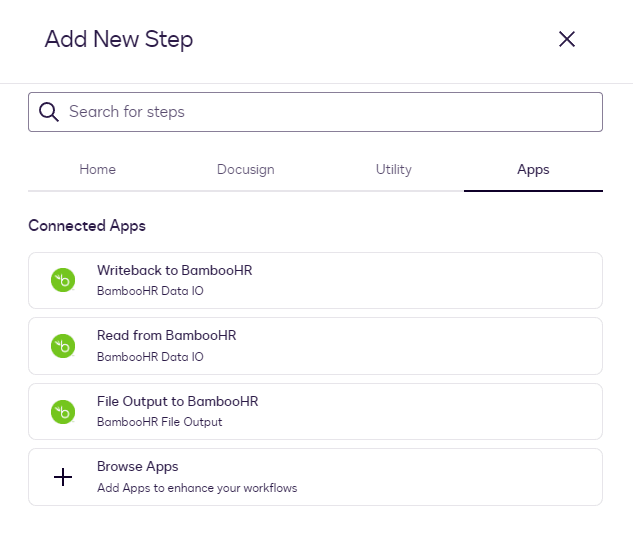
Once installed, the app's actions appear as native workflow steps. No code, no separate automation platform, no sync jobs to run.
Read from BambooHR
Pull employee data mid-workflow (name, contact details, job information) by matching Employee ID to the workflow's input variable. The fields you select become workflow variables, ready to pre-fill agreements in later steps. Nothing is re-typed, nothing drifts from the HR record.
Writeback to BambooHR
Update an existing employee record or create a new one from data collected during the workflow, including values the signer filled in. You choose the identifier field (Work Email is the documented example) and the write mode: update, create, or update-or-create.
File Upload to BambooHR
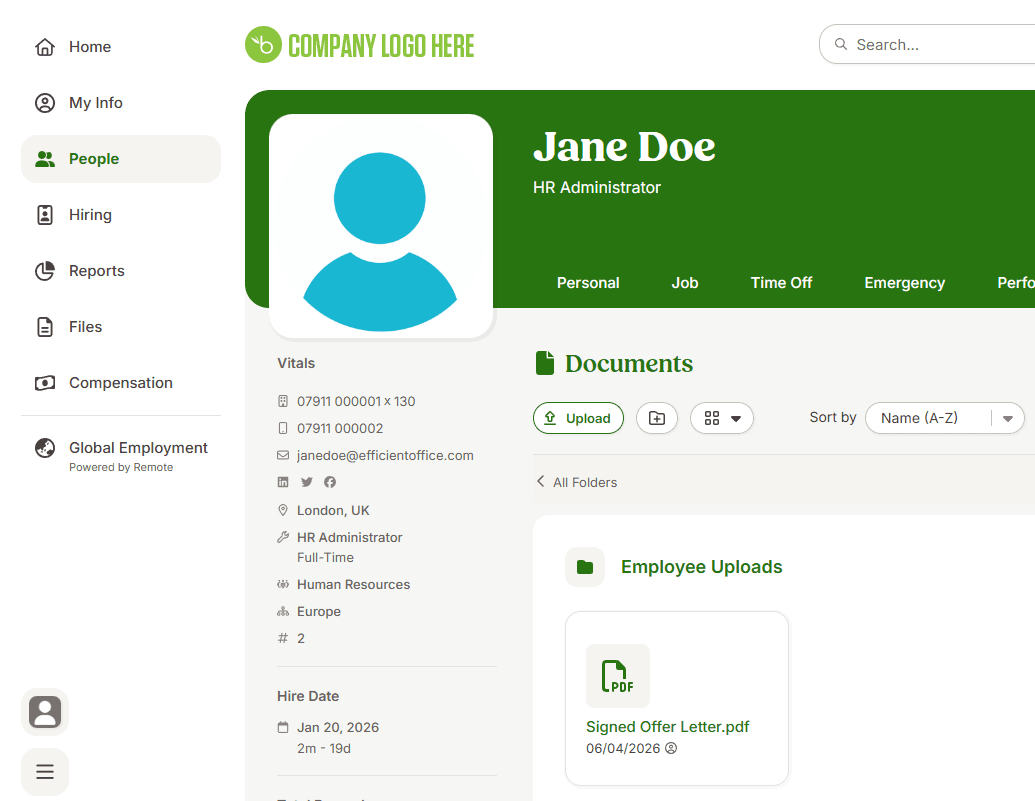
Attach the signed document (the combined envelope file) directly to the employee's record. The destination folder is set from the Employee ID variable, so each run files its document under the right employee, visible on their Files tab in BambooHR.
Shared or private connections
Connect once for the whole team with a Shared connection, or keep a connection Private to one user. Rename, reconnect, or delete connections, and add extra BambooHR accounts, without reinstalling the app.
Live in an afternoon
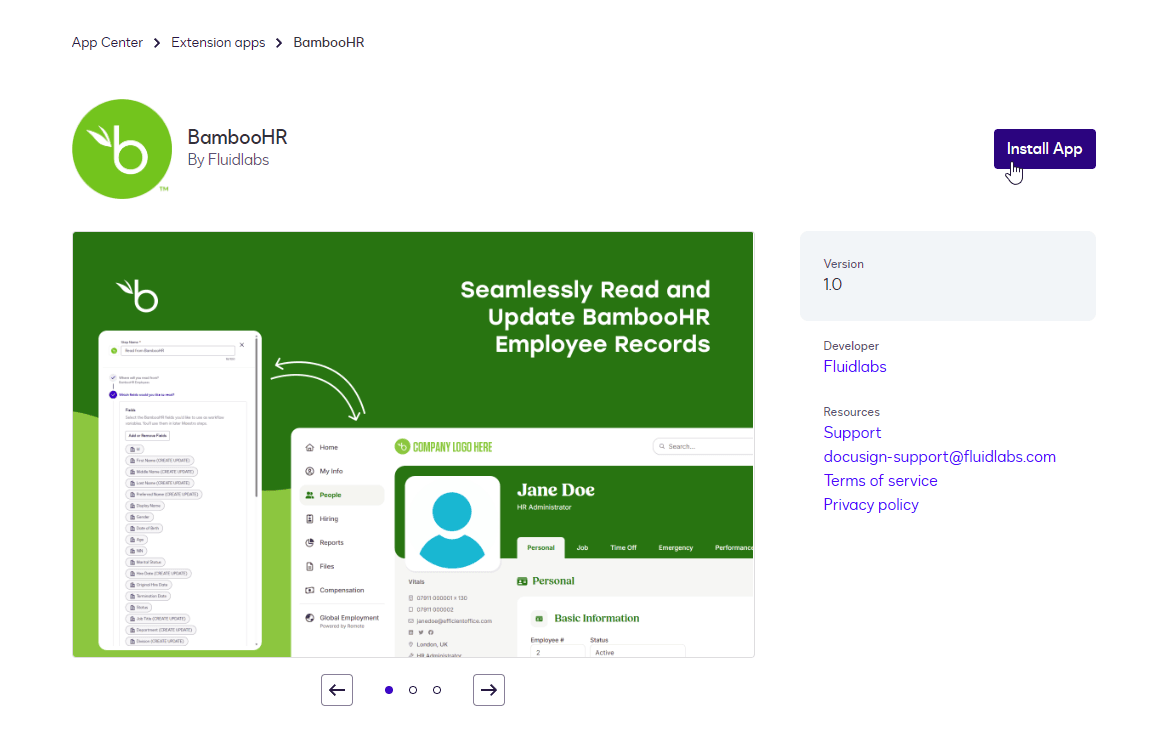
To connect BambooHR to Docusign, install the app from the App Center like any Docusign extension, authorize your BambooHR account, and add the steps to a workflow. Full setup, configuration and known behaviors are covered in the documentation.
Install from App Center
One click from the official listing into your Docusign account.
Connect BambooHR
Authorize your BambooHR account and name the connection.
Add steps to any workflow
The BambooHR actions appear as native Workflow Builder steps.
What you'll actually see
Real screens: the App Center listing, the steps inside Workflow Builder, and the result in BambooHR.
What HR teams run on it
Offer letters built from the employee record
Send offer letters for Docusign signature from BambooHR data: Read from BambooHR pulls the new hire's name, job details, and contact fields into the workflow to pre-fill the offer letter or onboarding pack. Once signed, Writeback saves what the hire entered and File Upload files the signed document on their record.
Signer data written back to BambooHR
When an employee confirms or updates details in a signed form, the Writeback step updates their BambooHR record using a unique identifier such as Work Email, with update, create, or update-or-create behaviour you choose per step.
Signed agreements on the right employee file
Policy sign-offs and agreements land where HR looks for them: the File Upload step attaches the combined envelope file to the specific employee involved in the run, filed dynamically by Employee ID into their Files tab.
Built to pass your security review
The documents your security team will ask for exist, are current, and are ready to hand over. Terms of service and the privacy policy are published on this site.

EUR 1M technology and cyber insurance, evidenced on request.
ISO/IEC 27001:2022 certificate
Independently certified by Swiss Approval, current to May 2027 and verifiable through the issuing body.
Standard DPA
GDPR, UK GDPR and Swiss FADP covered, with the EU standard contractual clauses incorporated. Read it now, request the version for signature.
Service Terms
Licence, support response targets, availability, IP and liability for your use of the extension apps. Personal data stays with the DPA.
Security & Data Protection Overview
Certifications, hosting and encryption, access control, secure development, monitoring and incident response, in one document for your security assessment.
The Security & Data Protection Overview and the DPA prepared for signature are provided on request: , or email secops@fluidlabs.com.
The BambooHR Docusign integration, answered
Does BambooHR integrate with Docusign?
Do I need Zapier or Make to connect BambooHR and Docusign?
How do I send an offer letter for signature using BambooHR data?
Is this the official BambooHR integration for Docusign?
Does it work with Docusign Maestro?
What do I need to use it?
Where does our employee data go?
How long does setup take?
What does support look like?
Can Fluidlabs build the workflow for us?
Need BambooHR to do more than the app covers?
The app covers the steps on this page. When you need a custom object, a module the app skips, or a sync on your own schedule, we scope that work as an integration and put a fixed price in writing. Enterprise Integration starts at $45,000.
Setup documentation
Install steps, configuration and known behaviors, kept current.
Read the docs →All Fluidlabs integrations
Every app we run on the App Center, plus the roadmap.
Browse integrations →Need a different app built?
We build, submit and operate App Center extension apps.
Extension-app development →Ready to connect BambooHR?
Install in minutes, or talk to us about a workflow built around it.