 Video, 3:04
HR and recruiting
Send an offer letter and file the signed copy
Reads the candidate, fills the letter, and moves them to Offer once they sign.
Starts: API or by handTested 16 Oct 2026
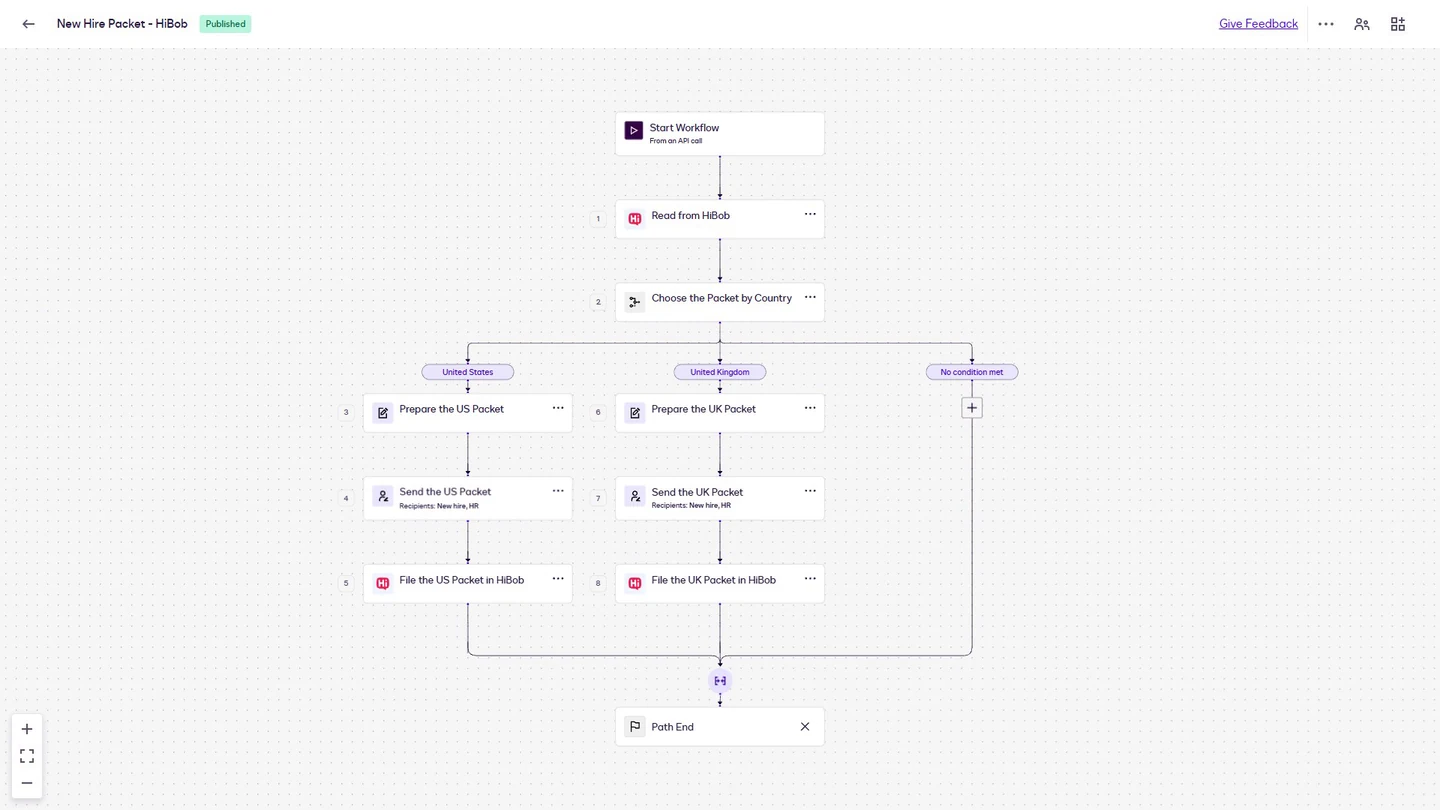
The workflow reads the new hire from HiBob with the employee ID it starts with, and picks the packet for their work country: the United States packet with a sample withholding certificate, or the United Kingdom packet with a sample New Starter Statement. The hire adds their own details and signs, HR countersigns, and the signed packet is filed in the employee's Confidential Docs in HiBob.
Northwind Robotics has hired Jordan Reyes as an account manager in New York, starting on the twelfth of January. HR already has him in HiBob: his title, his work site and his start date.
This Docusign workflow sends his onboarding packet. It reads Jordan from HiBob, then picks the packet for the country he works in: the United States or the United Kingdom.
Each country has its own documents. The workflow fills them from HiBob, sends them to Jordan and then to Mara in HR, and files the signed packet back on his profile.
Mara in HR starts it with Jordan's employee ID from HiBob. That is all she types.
Jordan gets his new hire packet by email.
His name, title, work site and start date are already filled in from HiBob. He adds his home address, an emergency contact and his uniform size.
On the withholding form he keeps his filing status and adds his address. Then he signs both documents and finishes.
Then Mara gets the packet to countersign for Northwind.
She signs for People Operations, and finishes.
Back in HiBob, the signed packet is already in Jordan's confidential documents, uploaded by the workflow. Nobody scanned a page or uploaded a file by hand.
Open it, and there is the packet Jordan and Mara signed: his details from HiBob, the entries he added, and both signatures.
You don't have to start it from Docusign. Anneke de Vries joins the London office the same week. With the Baton Launcher, our browser extension, HR starts her onboarding right next to her profile in HiBob.
Pick the onboarding workflow, take the employee ID from the page, and launch.
Because Anneke works in the United Kingdom, her packet comes filled from HiBob with London as her work site, and the UK starter statement in place of the US withholding form.
| Data label on the new hire packet | HiBob field | Step |
|---|---|---|
Employee_Name | Employee / Full name | 1 |
Job_Title | Employee / Job title | 1 |
Work_Location | Employee / Site city and Site country, printed as New York, United States | 1 |
Start_Date | Employee / Start date | 1 |
Filed to: Employee / Confidential Docs / Signed New Hire Packet for {Full name}. The filed packet is the record: no employee field is changed.
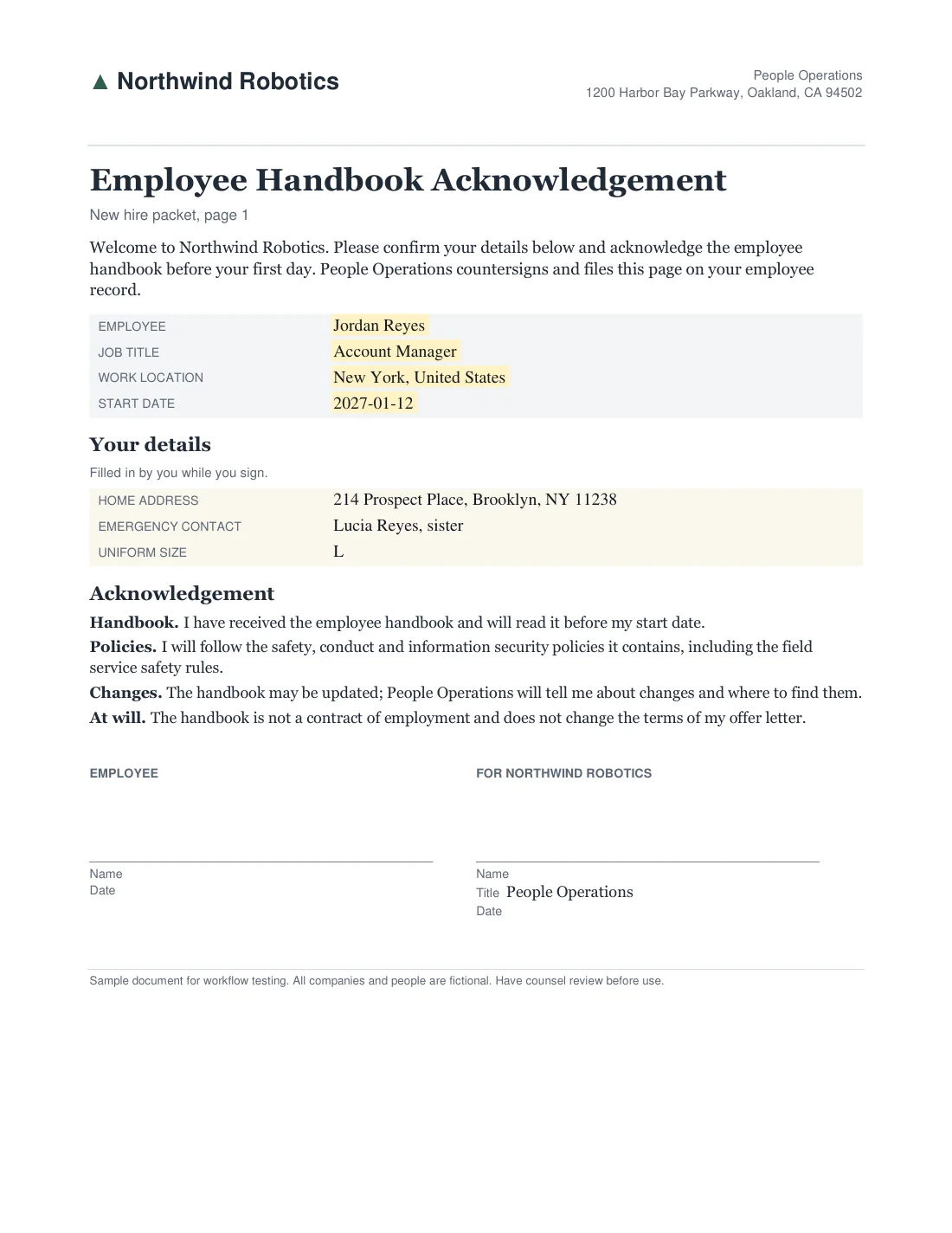
The highlighted fields are the new hire packet's data labels, shown here with sample values. The field map lists where each one comes from in HiBob or the start inputs. Each field sits on a hidden anchor tag, so you can use your own new hire packet: keep the four data labels and the workflow keeps working.
Install HiBob for Docusign IAM from the Docusign App Center and connect it to your HiBob account. An account admin does this once.
In Docusign, upload the new hire packet template (.json) under Templates. It carries the document and its fields.
In Agreements, Workflows, Create Workflow, add the steps listed above in order. Use the definition file to check the settings of each step, pick your HiBob connection, and map the fields as the field map shows.
Run it once on a test record addressed to your own inbox, and check the file.
No. It is the definition exported from the tested workflow, kept as a reference. Build the workflow step by step in Docusign Workflow Builder and use the file to check the settings of each step. The account, connection, template and folder ids in it are placeholders.
HR, with the employee's ID from HiBob: on the Run Workflow page in Docusign, or with Baton Launcher beside the employee's profile in HiBob. Another system can start it through the API with employeeId.
Not in this workflow. Identity verification was not enabled in the account we built and tested it in, so it has no identity step. If your Docusign plan includes identity verification, you can add one before the packet is sent; we have not tested that path.
The same handbook acknowledgement, with a sample New Starter Statement as page 2 in place of the withholding certificate. The download carries the United States packet; build the United Kingdom template the same way, with the Employee and HR roles and the same four data labels.
No. Both page 2 forms are samples built for the demonstration: the United States one is not IRS Form W-4 and the United Kingdom one is not the HMRC starter checklist. Northwind Robotics and every name are fictional. Put your own forms and terms in the templates before you use the workflow.
We adapt library workflows to your stages, approvals and documents, and build private apps when a system has no app yet.
Video, 3:04Reads the candidate, fills the letter, and moves them to Offer once they sign.
 Video, 3:11
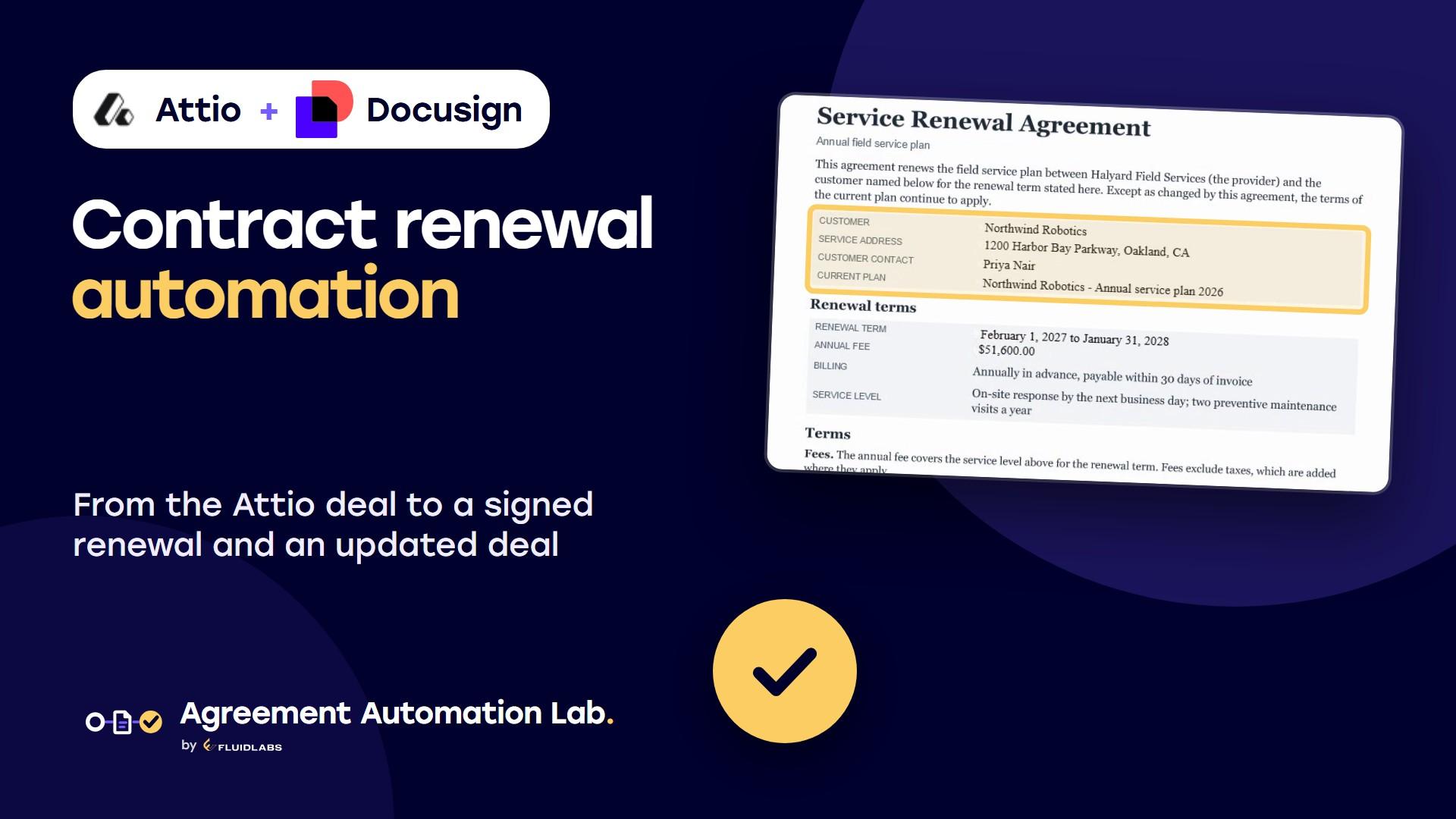
Fills the renewal agreement from the deal, gets it signed by both sides, and updates the deal with the new fee and the signed copy.
Docusign is a trademark of Docusign, Inc. HiBob for Docusign IAM is published by Fluidlabs. To ask us to remove a mark, email hello@fluidlabs.com.